NEXA

Desktop launcher for Windows — your apps, widgets, and themes in one place.

What is NEXA?

NEXA is a desktop hub: a fullscreen menu to launch applications, with categories, optional desktop widgets, and a dark UI you can theme.

You group apps in categories, pin what you use most, and shape how the menu looks — so starting software stays quick and stays on your desktop workflow.
nexa_v2.3.exe · Windows

Installation

Lege einen eigenen Ordner an einem festen Ort an (z. B. unter Dokumente) — nicht im Downloads-Ordner. Dort bleiben Programm und spätere Einstellungen übersichtlich beisammen.

  1. Ordner erstellen, z. B. Dokumente → Neuer Ordner → „NEXA“.
  2. Die heruntergeladene Datei nexa_v2.3.exe in diesen Ordner verschieben.
  3. nexa_v2.3.exe im Ordner doppelklicken, um NEXA von dort zu starten.

Fonts fehlen nach dem Download?

Wenn eine oder beide Schriften (Pro Font und Anurati-Regular), die beim Download dabei sein sollten, in deinem Downloads-Ordner fehlen, lade sie bitte separat herunter.

Pro Font (Nerd Fonts): Herunterladen

Anurati-Regular: Herunterladen

Installation (Windows):

  1. ZIP-Datei(en) herunterladen (Pro Font und/oder Anurati-Regular).
  2. Die ZIP-Datei(en) im Downloads-Ordner mit Rechtsklick → „Alle extrahieren…“ entpacken.
  3. Im entpackten Ordner die Font-Datei (z. B. .ttf oder .otf) öffnen und auf „Installieren“ klicken.
  4. NEXA neu starten, damit die Schrift überall korrekt geladen wird.

Features

  • Fullscreen launcher with a category sidebar — switch app groups in one click.
  • Built-in search to filter entries and open what you need faster.
  • Pin favorites to the top; custom tile colors and Nerd Font icons for clear visuals.
  • Folder shortcuts next to apps — jump into important directories quickly.
  • Smart category: the default group can follow the time of day (morning / afternoon / evening / night — you choose the targets).
  • Header widgets: clock, date, a smart shortcut row, and search — each can be toggled in settings.
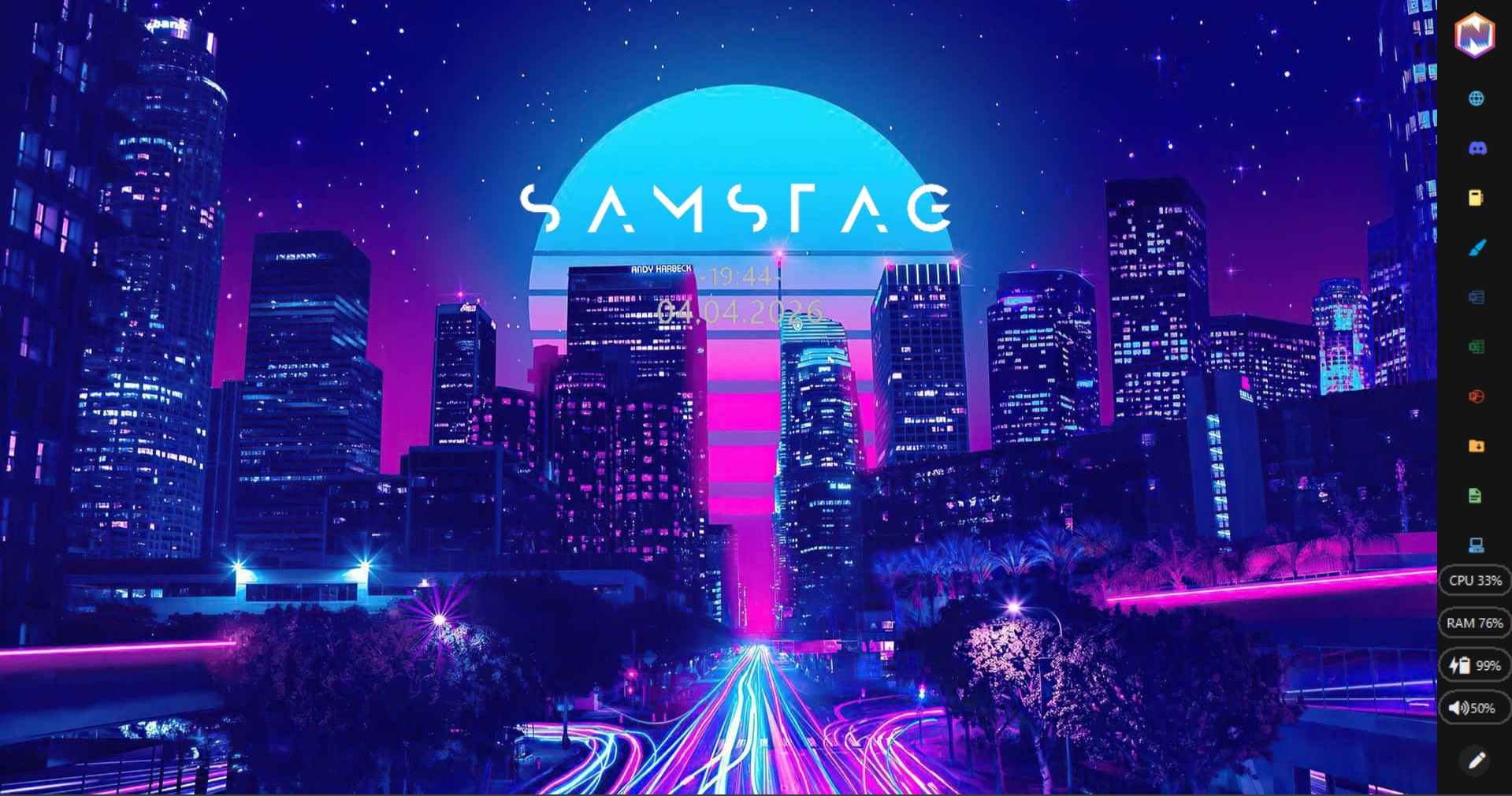
  • Optional desktop edge widget: clock and date at the screen edge; position and scale adjustable.
  • Theme presets (e.g. default, midnight, ocean, graphite, modern) plus a theme gallery to tune menu colors and surfaces.
  • Your own menu background image and an optional liquid-glass style for the UI.
  • Animated gradient on the NEXA title — the same look as inside the app.
  • Power menu: sleep, shut down, restart, sign out, lock, and turn the display off — enable only what you want.
  • Launch with Windows if you like; tray menu to show/hide NEXA, toggle autostart, reload, and quit.
  • Optional NEXSTBAR: a side rail for pinned shortcuts, with its own layout editor.
  • UI in German, English, and Hungarian; most behavior is driven from settings.
Main menu overview.
NEXA desktop with edge widgets.
Desktop edge widgets.